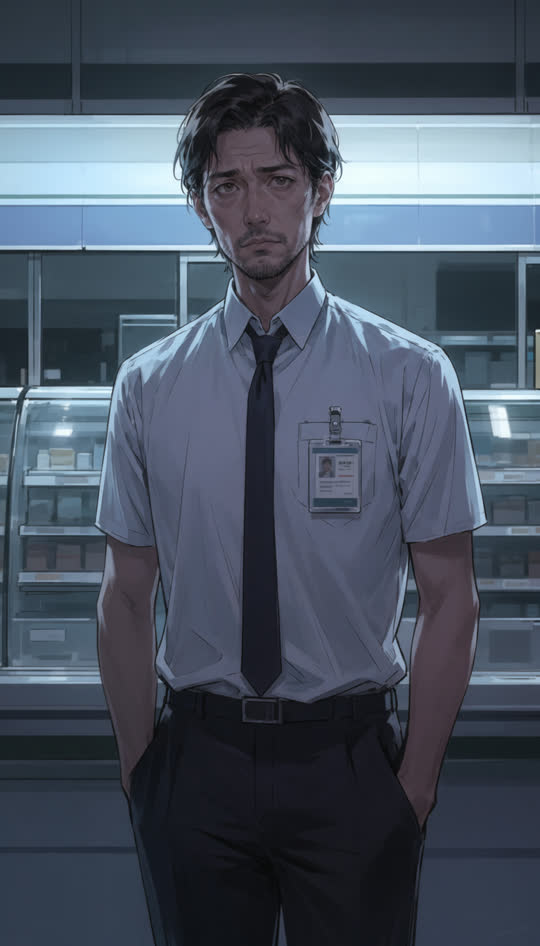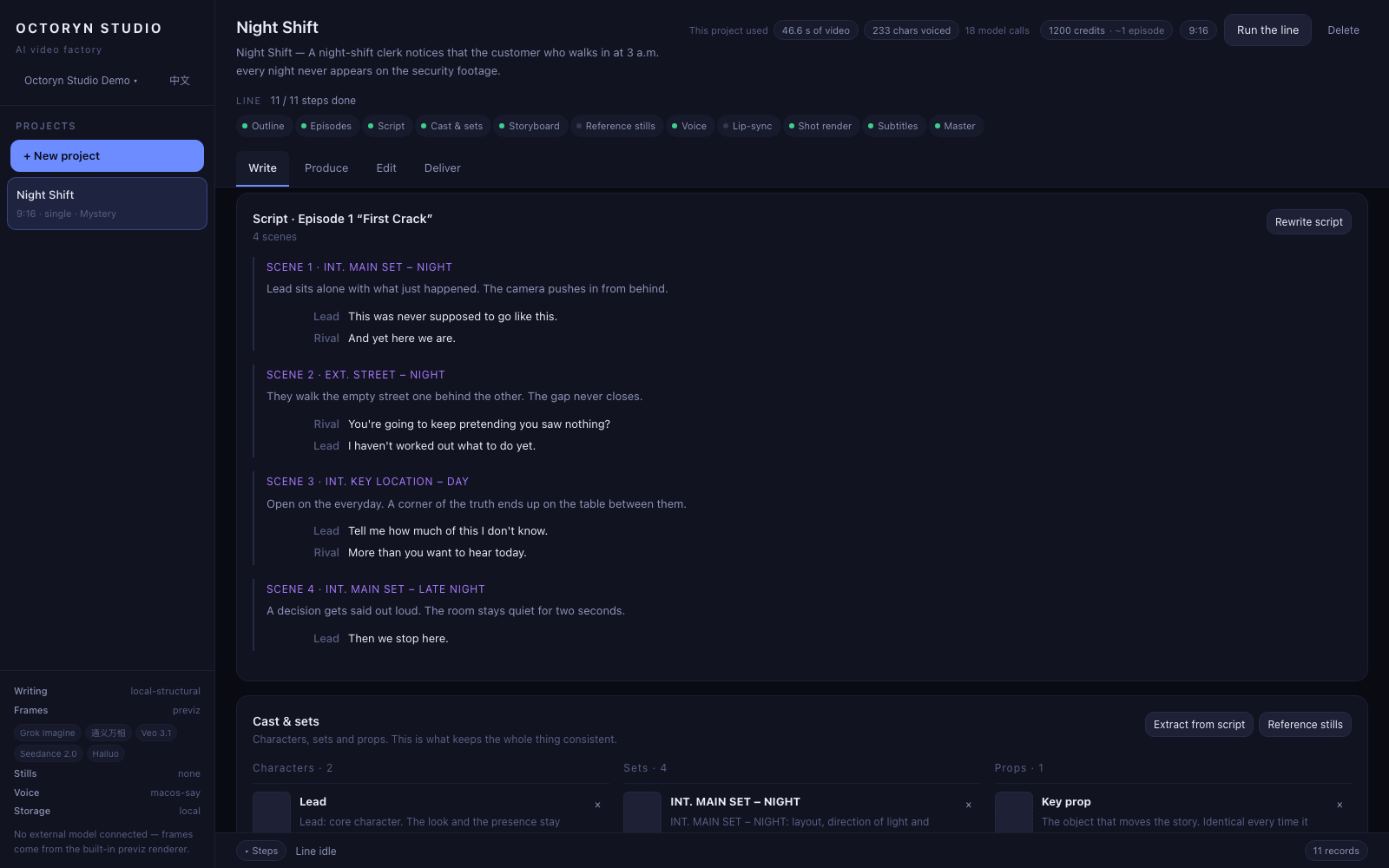
One sentence in; theme, cast relationships and overall direction out. What comes back is text you can read and rewrite, not one indivisible blob. The other ten stages all grow out of it, so it is worth a second look.
How it works
Four lines, eleven stages
On day one there were two roads: build an editor, or build a production line. We built the line. Everything else follows from that — staged work can be re-run one step at a time, and it leaves a record behind. This page walks all eleven of them.
The whole line
From one sentence to something you can send. Five stages to write it, five to produce it, one to assemble it, and one cell in the middle that you arrange by hand. The order inside the produce line is not a layout choice. Get it wrong and the sound stops lining up with the picture.
Four lines
Each one owns a different job
Turn one sentence into something shootable
The order here is deliberate
Four things only: order, length, transitions, subtitles
Stage by stage
Eleven stages, one at a time
This is not a feature list. It is the order the line actually runs in, and why each stage sits where it does. Two of them look backwards at first glance: voice runs before picture, lip-sync runs before the shot render. The reason is written under each of them.
Write
Turn one sentence into something shootable
Split according to the format: vertical drama defaults to three episodes, everything else is a single piece. Each episode ends on a hook. That is written into the format definition, so you never have to ask for it.
Each episode opens into scenes: slug line, who is in it, what they say. All of it is editable text rather than a black box you can only regenerate. Fix one line and only the stages below it run again.
Pull out everything that has to stay consistent: characters, locations, props. This stage produces text only; the reference images come out on the next line. The split is deliberate — settle the cast first, then pay to draw it.
Every shot gets a description, a duration, a speaker and their lines. Shot lengths land inside whatever range the format defines: 2.5–8s for vertical drama, 1.5–4s for a music video, 1–3s for an ad spot. You never need to know that range, let alone type it in.
Produce
The order here is deliberate
Reference images for the characters and locations come first, so later shots have a face to work from. Every character in a shot carries a reference, not just the one who is talking: attach a single face and the other person looks different in every shot. With no image capability configured the stage is skipped entirely and shots fall back to pure text-to-video. Consistency suffers. The line does not stop.
Voice runs before picture because it re-times the shots to the real speaking pace. Do it the other way round once and you will see why: the cut has already moved on while the character is still talking.
Shots with dialogue come out already synced, and a successful one overwrites the earlier take. That is why it runs before the shot render: the render only fills in whatever is still missing rather than redoing finished work. This stage runs serially, because the vendor behind it accepts one job at a time and parallel submissions would only queue against each other.
Only shots with no footage get rendered. Anything already there is left alone, because generating it twice means paying for it twice. External models are submit-then-poll long jobs, so this stage runs concurrently: a batch of shots is in flight at once and you wait for the slowest one, not for the sum of all of them.
Exports a .srt sidecar from the current timeline for re-distribution and platform uploads. The subtitles in the master itself are burned into the frame. Both exist on purpose: publishing platforms want an editable subtitle file, and what the viewer sees has to be in the picture.
Edit
Four things only: order, length, transitions, subtitles
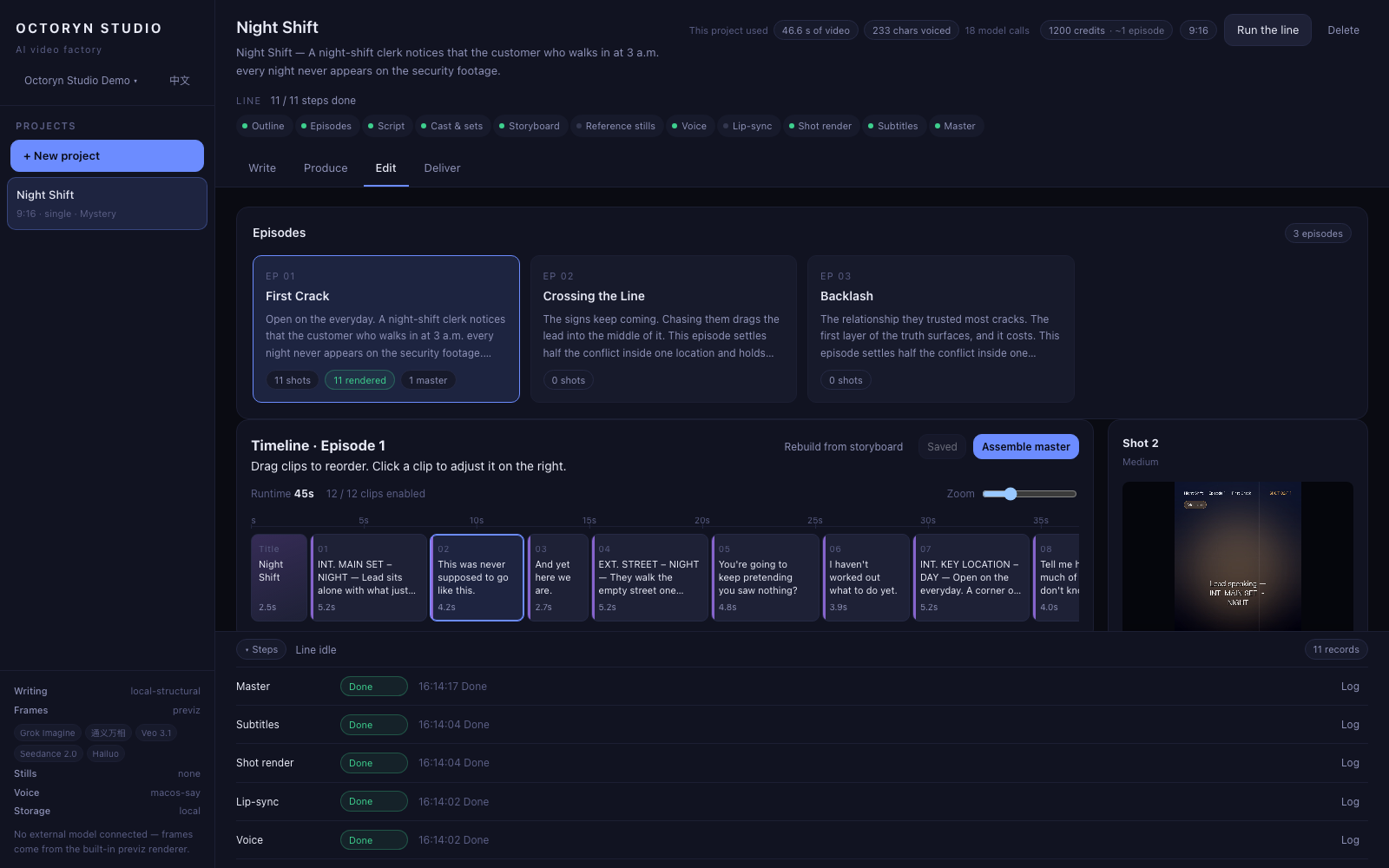
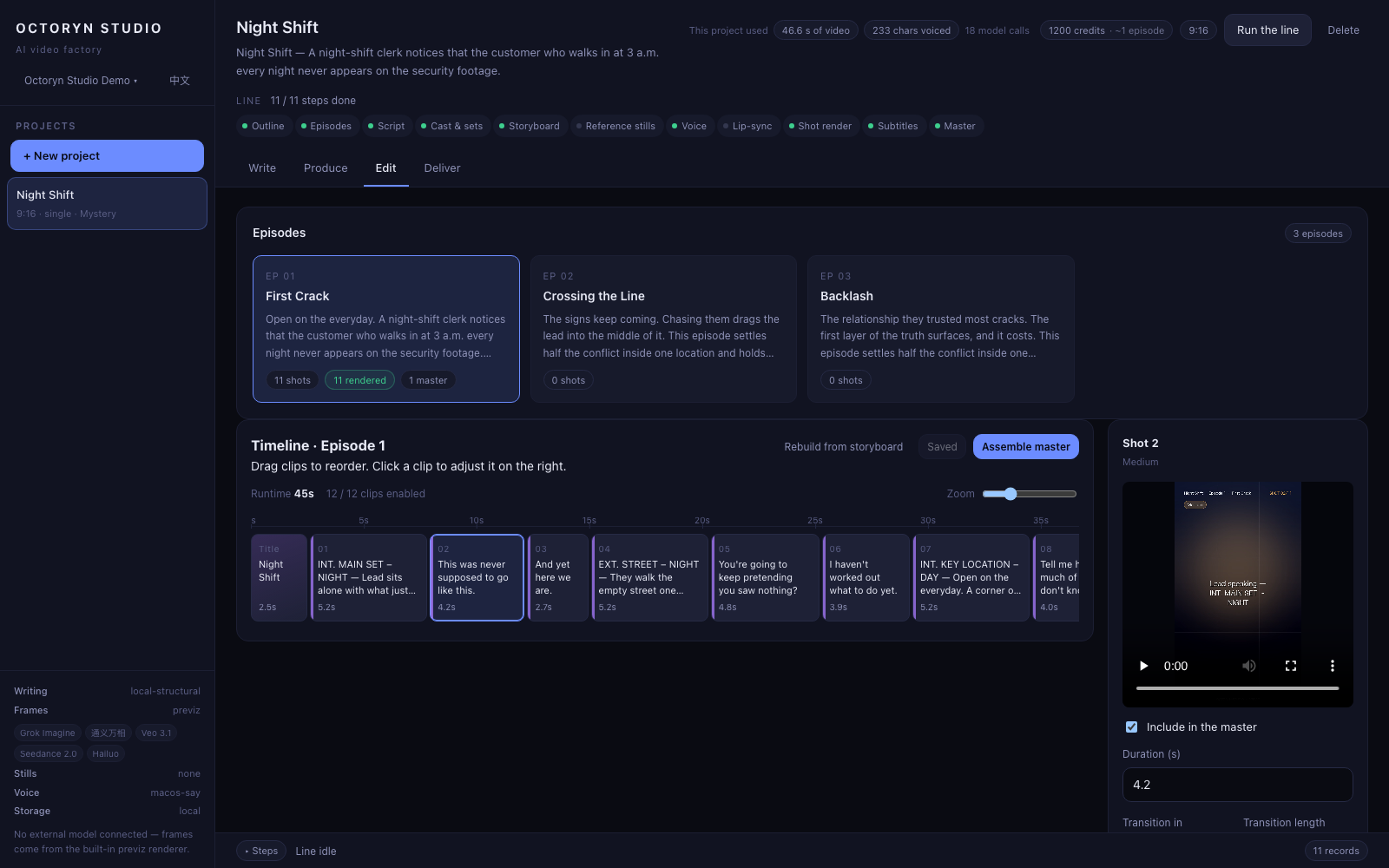
This cell has no stage number because the line does not produce it. You do. Move a shot, trim a length, change a transition, fix a subtitle: four things. Want layers, keyframes and colour curves? This is not that tool. Made a mess of it? The timeline rebuilds from the storyboard.
Deliver
Assemble something you can actually send
Stitch, dissolve, burn subtitles, produce the master and the share link. A failed transition falls back to a hard cut, and shots with no footage are skipped rather than failing the whole film: you get something watchable first and fill in those shots afterwards. Masters are private by default. Sharing is something you switch on.
Reference stills
Lock the person first, and later shots have a face to work from
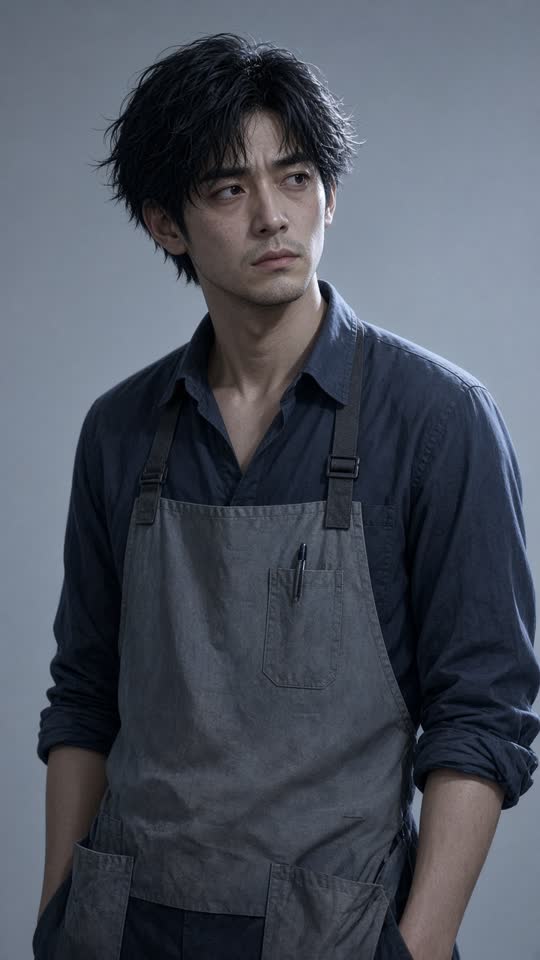
This is what stage 06 hands back. Reference images for the characters and the locations come out first, and every later shot that character appears in carries that image into the render. That is where consistency comes from — not from describing the same face over and over in a prompt.


- A shot with three characters in it carries three references, not just the one who is speaking. Attach a single face and everybody else changes from shot to shot.
- With no image capability configured the stage is skipped entirely and shots fall back to pure text-to-video. Consistency suffers; the line does not stop. Image is the one capability with no built-in fallback, because a character sheet cannot be faked.
- Both stills are AI-generated.
Three constraints
Know nothing about models. Change anything. See everything
You do not need to understand models
What prompt engineering is, what a seed does, how image-to-video differs from text-to-video, which vendor is good at which kind of shot — none of that should be asked of you. You type a sentence; the line turns it into dozens of model calls across eleven stages. There is no model dropdown waiting for you to fill in.
You can stop at every step
All eleven stages produce structured data you can read, edit and re-run on its own. A first-timer confirms their way to the end; someone who knows what they want stops wherever they like, fixes it, and carries on. Same path, not a second interface.
You can see what it is doing and what it costs
The console shows each stage's status, elapsed time, which vendor took it and why it failed. Every external call writes a usage record, failures included. Leave the failures out and a success rate becomes a count of successes divided by a count of successes.
The product
This is the workbench
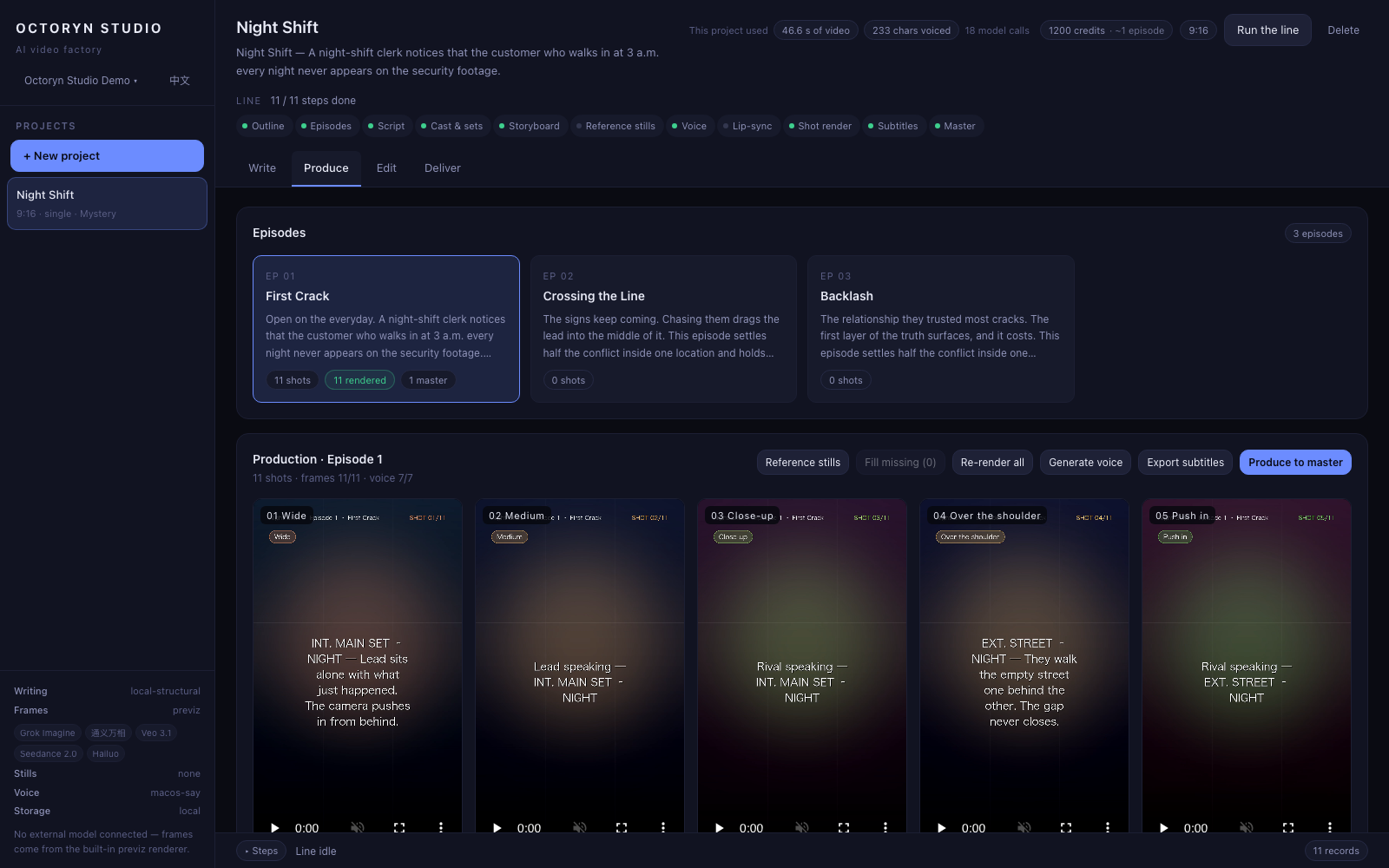
These are captures of one real run all the way down the line: the project, script, shots and timeline were all produced by the product itself. That run was in draft grade, so the footage inside the captures is the built-in preview's concept board. The finished film on this site came off a separate, final-grade run and is posted exactly as it rendered — we are not padding the page with somebody else's work, and we are not passing a concept board off as a master.


The edit bench
Four things only: order, length, transitions, subtitles
We are not building a general video editor, and we are not planning to. The edit bench exists so you can adjust the timeline before it gets mastered: move a shot, trim a length, change a transition, fix a subtitle. If you want layers, keyframes and colour curves, this is not that tool.
- Transitions cross-dissolve, and fall back to a hard cut if the dissolve fails. One transition should never hold up a whole film.
- Assembly skips shots with no footage rather than failing the whole film. You get something watchable first, then fill in the shots that are missing.
- The timeline rebuilds from the storyboard, so there is always a way back out of a mess.
Model routing
Routed per shot; one vendor fails, the next takes it
Routing happens per shot, not per project. Shots inside one episode ask for very different things: some carry a reference image, some run two seconds, some need to match an end frame. Every render first filters for whoever can do that job, then ranks by value. A failure moves to the next vendor, and only when every candidate has failed does it drop to the built-in preview, which is never billed.
How capabilities are filtered, the three orderings, and which failures are worth retryingDraft and final
Two render grades, chosen per run
One project gets drafted many times and finalised once. So the grade is not a project setting — you choose it each time you press run.
Draft
The structure is real, the picture is a concept board
Runs on the built-in preview. Storyboard, pacing, voice, subtitles and timeline are all real; only the picture is a stand-in. Seconds to render, no quota, unlimited.
Final
Real generative models, charged by usage
Footage comes from the vendors' own models, billed by the second and by the still. You see the estimate before the step runs.
Squeezing unit price is a 2–3× problem. Squeezing retries is a 3–5× one. The first needs negotiation, new suppliers, and can be undone the day a vendor rewrites its price list. The second only needs us not to charge you for the five versions you were always going to make. It is the largest saving on the table, and no vendor's policy can take it away.
Run one episode and see
Sign up and go; drafts are unlimited. A full pass down the line takes a few minutes, and at the end of it you are holding a film you can send to someone.